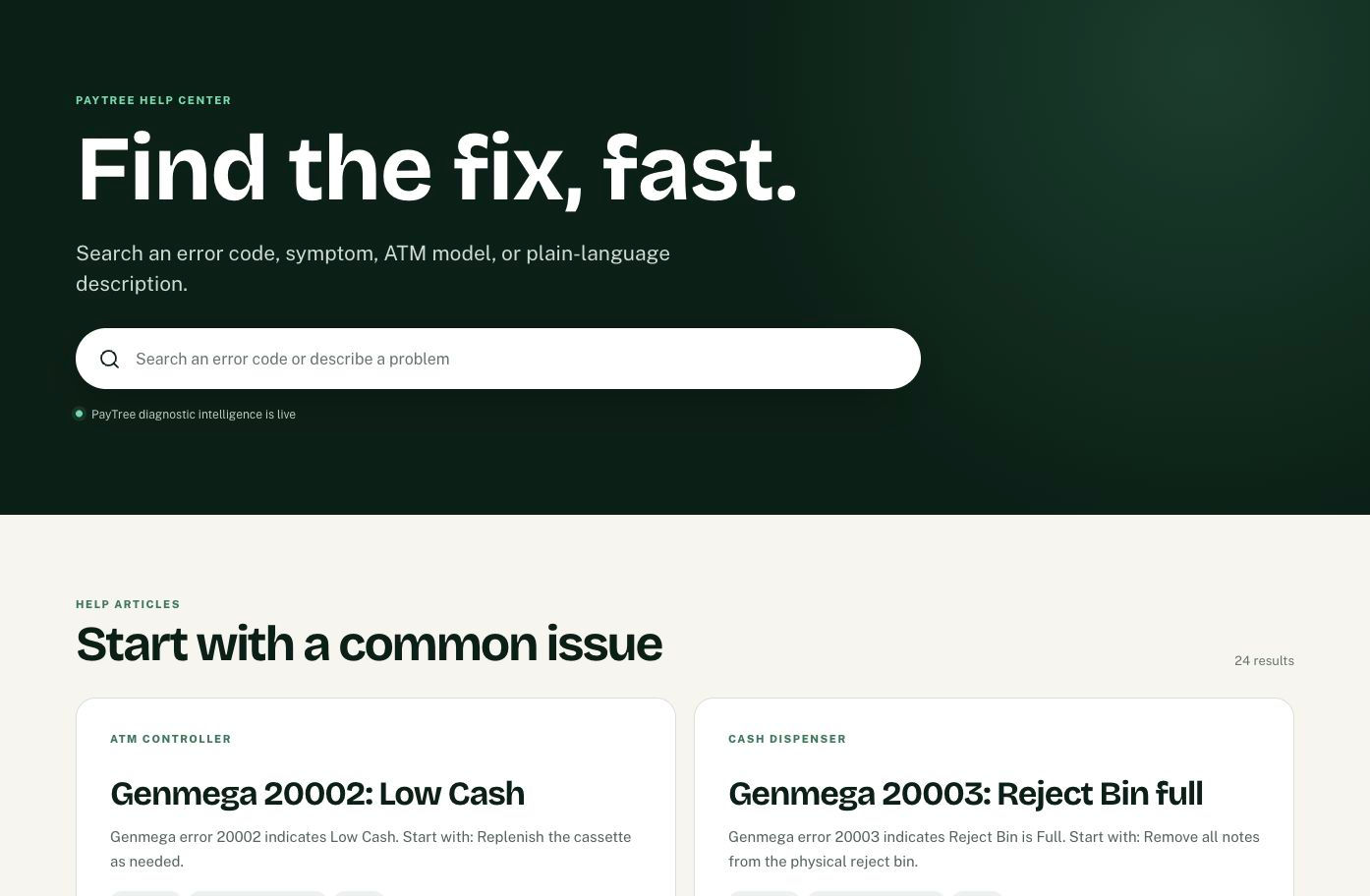
Introducing the PayTree Help Center: Faster Answers for ATM Operators
The PayTree Help Center gives independent ATM operators one place to search error codes, symptoms, models, and operating problems—and find practical next steps.
A faster starting point when an ATM needs attention
An ATM problem rarely arrives with a complete explanation. You may have an error code, a vague customer report, an unfamiliar message, or a terminal that simply stopped completing a task. The PayTree Help Center is built to turn that first clue into a useful next step.
Instead of searching through scattered manuals and unrelated pages, you can begin with the detail already in front of you. The Help Center brings focused diagnostic guidance into a consistent format designed for independent ATM operators and the teams supporting their portfolios.
Search the way the problem appears
Use the search bar to enter an exact ATM error code, a manufacturer or model, a visible symptom, or a plain-language description. A search can be as specific as “Genmega 20013” or as practical as “receipt printer not feeding,” “ATM cannot communicate,” “cash dispenser error,” or “settlement problem.”
Start with the exact code and manufacturer when you have them. The same number can mean different things across manufacturers or device families, so adding model context helps narrow the result. When no code is visible, describe what the ATM did, what it failed to do, and which component appears involved.
What you will find inside a Help Center article
Each article is organized to answer the questions an operator actually has: What does this message mean? What commonly causes it? What can I safely check first? When should I stop and contact support?
Articles can include a focused diagnosis, likely causes, operator-safe procedures, a clear safety boundary, related PayTree guides, and a path to support. The goal is to give you enough context to act intelligently without turning a routine check into unauthorized repair work.
How to use a result in the field
First, confirm that the article matches the terminal manufacturer, model context, error code, and symptom in front of you. Read the diagnosis and common causes before attempting a step; a similar-looking fault may have a different cause or require a different stop point.
Then follow only the operator-safe procedure that applies to the observed condition. Record what you checked and what happened. Preserve the exact message, terminal identity, time, journal details, and any recent change so support receives facts rather than a reset history with the original evidence removed.
Use the related guides when they genuinely match the same component or operating problem. They can help you distinguish, for example, an empty receipt roll from a feed fault, a terminal communication issue from a remote-monitoring issue, or a dispenser condition from a broader transaction problem.
Know when to stop troubleshooting
The Help Center is designed for operator-safe checks. Stop when an article identifies a safety boundary, the condition does not match the stated procedure, the fault returns after a normal retest, or the next step requires restricted credentials, disassembly, security bypasses, cash-security work, or qualified service.
Also stop immediately for suspected tampering, exposed power, unusual heat or odor, physical damage, unexplained cash movement, or any condition that could affect customer or terminal security. Secure the ATM according to your procedures and contact the appropriate support party.
A Help Center that will keep getting stronger
The PayTree Help Center will continue expanding as additional ATM documentation and operating knowledge are reviewed and connected. New information may add a supported model, improve a procedure, confirm an existing definition, or create a new guide when the evidence supports one.
That growth is meant to make each search more useful—not simply to create more pages. The priority is specific, readable guidance that helps an operator understand the problem, make a safe decision, and reach support with better evidence when the issue requires escalation.
Find the answer you need
Have an error code, symptom, or operating question? Search the PayTree Help Center
Need help with a specific terminal? Contact PayTree support
Comments